by
by Welcome to our second development blog for our Coffee Shop simulator, Cup and Counter.
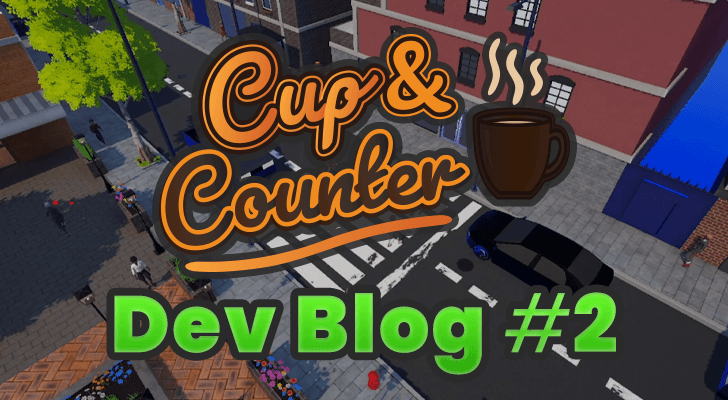
In this blog, we will explore some of the changes we have made to improve our coffee shop simulator over the last week. This particular week was very heavy on implementation and polishing.
For example, the traffic light system that we showed off in the previous dev blog now actually functions. On top of this, there has been a lot of work to help improve the facades of our buildings.
In addition to showing what we have worked on, we will briefly explain our plan for the next week of development. Cup and Counter is slowly coming together, and we feel like we aren’t that far off from being able to put together a nice trailer showing how the game all functions.
If anything about Cup and Counter sounds good to you, we would greatly appreciate you adding it to your Steam wish list. Wishlists help others see the game on Steam, which is a great way to support us before we release the game later this year.
Some of the things we cover within this blog are much better seen in action than read about. You can watch our video blog covering the development of Cup and Counter below.

Emmet
With this week of development, I had a few tasks I wanted to complete before diving deep into some of the core gameplay mechanics. Over this week, I did a lot of work implementing the traffic light system so that both cars and pedestrians will obey it properly.
In addition, more work was spent on improving our NPC generation and animations. In the animation, customers and pedestrians can now have different expressions, ranging from sad to happy to irritated. On top of this work, their faces were also made much more expressive.
With these reaching a much more polished state, I am now focusing on polishing the key game systems and making sure they work as intended in the main game world. The two core systems I touched on this week are the delivery and placement systems.
Traffic Light System
The first part of this week was dedicated to making our newly added traffic lights actually work and affect the game world.
Dealing with traffic was relatively simple, as they already had an understanding in their core logic that they must stop when they see a valid blocker in front of them. So all we needed to do for them was spawn a blocker when the lights turned red.
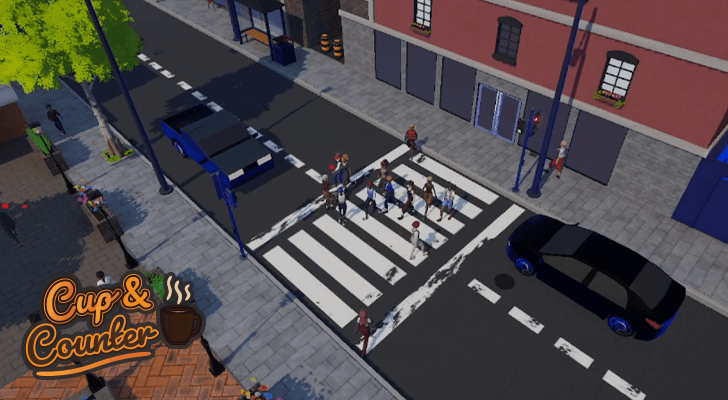
However, the pedestrians had no such knowledge; so far, the only thing they really understood was to stop and open a door. There was a simple way to achieve a similar result for the traffic lights: just halt their pathfinding when we detected they were crossing the lights. The huge drawback to that idea is that we would have the NPCS all mindlessly stacking up on top of each other.
The solution was to rewrite part of the NPC behaviours and implement a controller for the traffic lights that would become the manager for NPCs crossing the road. Basically, once they entered the zone, the NPCs’ brains would temporarily halt, and the controller would manage them. This enabled us to achieve a nicer, more cohesive look. Once the lights went green, the NPC could take back over.
We are pretty happy with how this turned out, as it really gives our city a more lived-in feel. Seeing pedestrians gather, wait, and then pass through in groups adds nicely to the world.
NPC Expressions
With the traffic light system now in a good state, there were still a few core things that I needed to deal with when it came to our NPC generation.
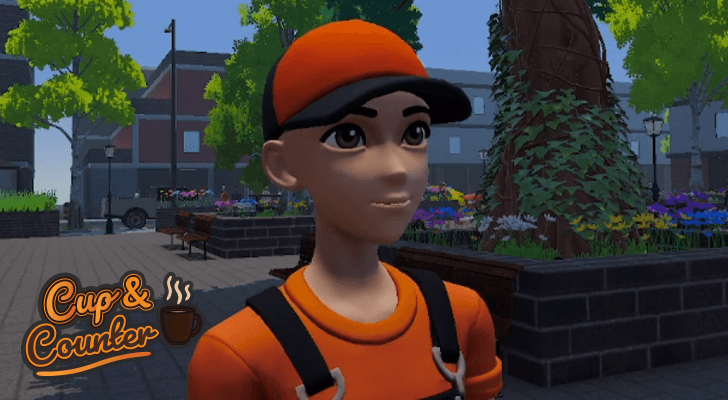
Last week, I attempted to optimize these by combining their meshes, but that led to a few significant issues, such as it being super hard to make changes on the fly. Additionally, it never delivered any significant performance improvements. The batching functionality of the Unity engine easily helped make up for any losses, especially with GPU skinning.
This week, I aimed to add more expressiveness to our NPCs, especially in their faces. While we have had a basic blinking animation for a little bit, parts like the eyes were obviously super static. So this week i set about implementing a system that would subtely cause the eyes to move around slightly, like eyes typically do in real life. It’s a subtle effect, but it helps the NPCs feel like they are actually living rather than just static props.
On top of this, I have also laid the groundwork for expressions; the NPCs now know how to smile, look irritated, and also be sad. It still needs some more work, like implementing animations for the rest of the body to express these, but they are a solid start.
Delivery System
After working on the NPCs, I set about working on one of the core gameplay systems: the delivery system. This is super important, as it will handle delivering stock to your store and eventually furniture to your home.
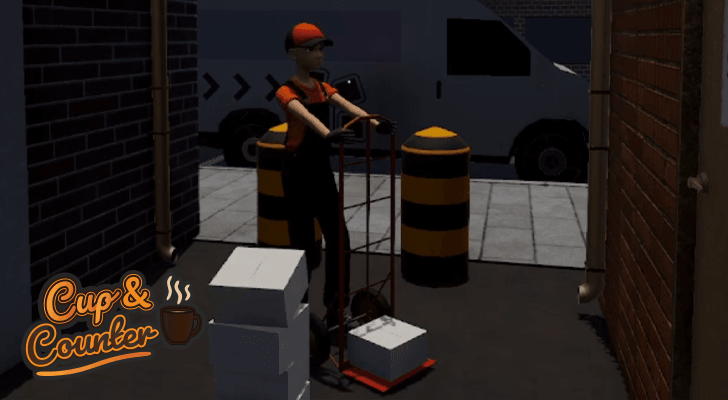
We started this system off super simple, with it just mindlessly spawning items in the drop-off location. We then built upon these systems to have an actual van pull up to the road, an NPC hop out, and deliver the boxes to the drop-off location using a hand trolley.
The driver will even make multiple hops, as not everything will fit on a single trolley.
We are pretty happy with this system and think it’s way better than just mindlessly spawning the boxes at random.
Placement System
Up next is a super major system, the placement system has existed in some form since very early on in Cup and Counters’ development. It’s crucial to so many things, from placing furniture to placing cups and other ingredients around the world.
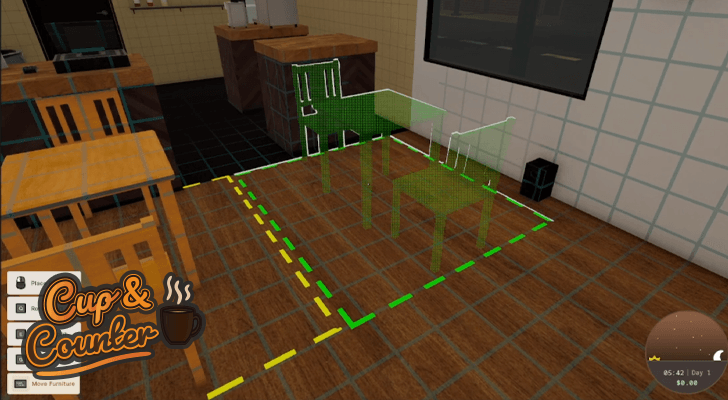
This week’s focus was to polish the system up as much as possible and get it ready for release. This has involved a ton of tweaks to try to make it feel right and not be a massive pain to use. There is still a bit to go, but I already feel like I’m getting it in a much better spot.
One things I really need to work on is the control system for all of this, its a bit clunky as it currently sits with there being a global “placement mode” and boxes having their own separate “do i place a box” or “do i place the furniture” systems. I feel like I need to pick one method and stick with it rather than having these competing systems.
Whats Next
My plan for next week is to continue focusing on all the systems for the coffee shop itself. Most things are already there and working, but I really need to just go over everything and ensure it’s implemented nicely. Additionally, while the systems are there, most of the items themselves are not hooked up correctly yet.
Gus
This past week, I focused on several key improvements across the project. The plaza area received notable enhancements, making it more inviting and visually cohesive. I also spent time refining the building facades and adding new awnings, which contribute to a more authentic streetscape feel.
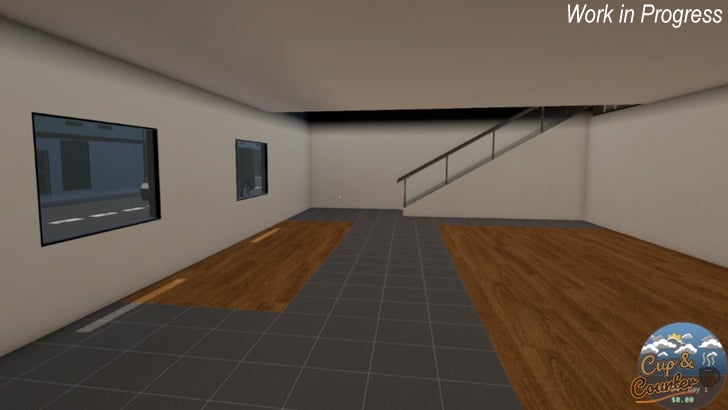
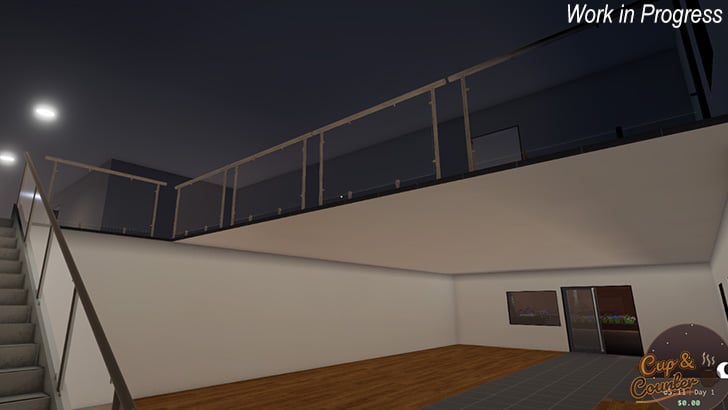
On the interior side, I began implementing apartments, laying the groundwork for expanded functionality and greater detail within the living spaces. The kitchen area saw a redesign of the sink and associated visuals. Additionally, I created a new takeout sign, so it’s easy to understand where the customers will line up to pick up their takeout orders.
Overall, these updates bring greater polish and immersion to the game.
Plaza Improvements
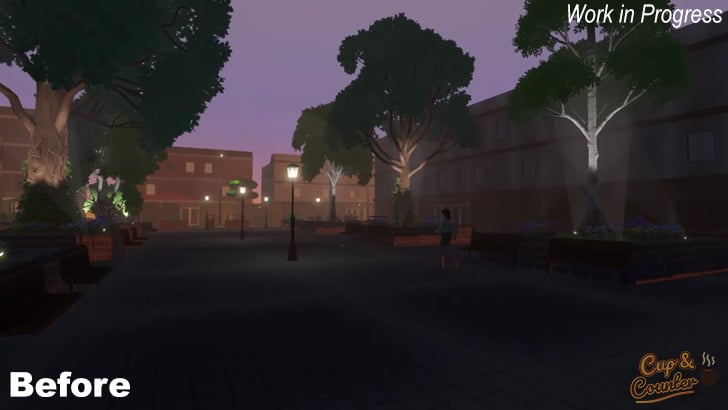
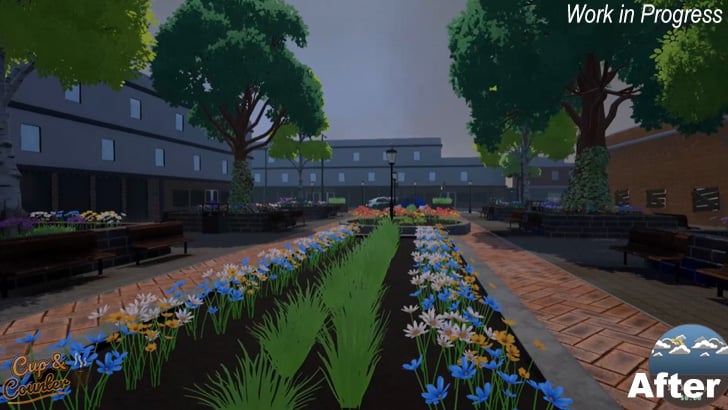
I touched on a few plaza improvements in the previous dev blog. This week, I continued to improve the plaza with the addition of some central raised garden beds, variation in pavers, and some materials to help create the transition between two different paver types.
Building Facades
Our buildings so far have felt relatively flat, so I set out to start modeling some additional pieces to help add more detail to the windows. I made a set of roughly 4-5 pieces and created some basic materials. Just this little addition has helped add a lot more detail to the buildings.
The building facades are still a work in progress and will continue to add detail without incurring excessive performance overhead.
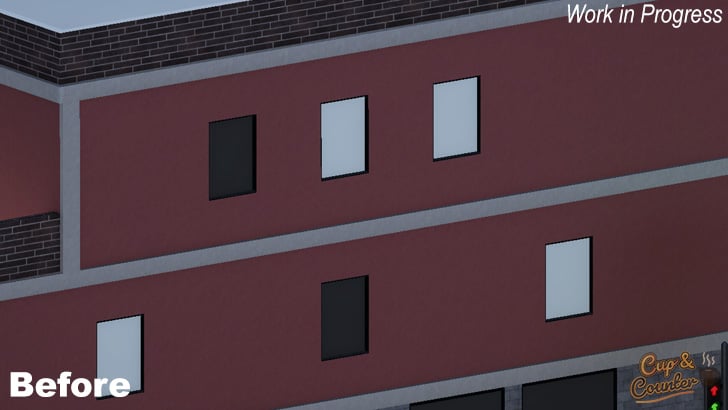
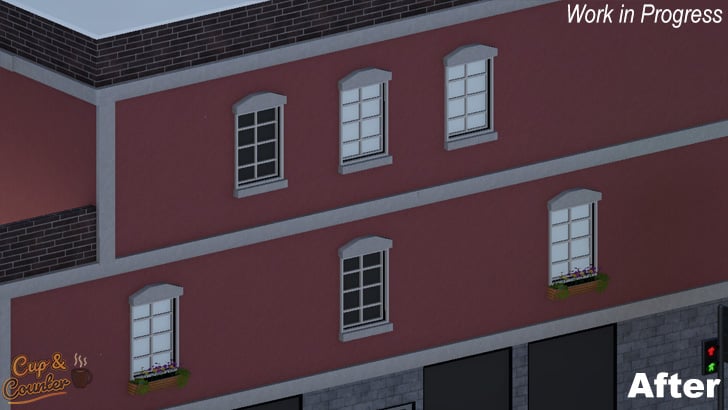
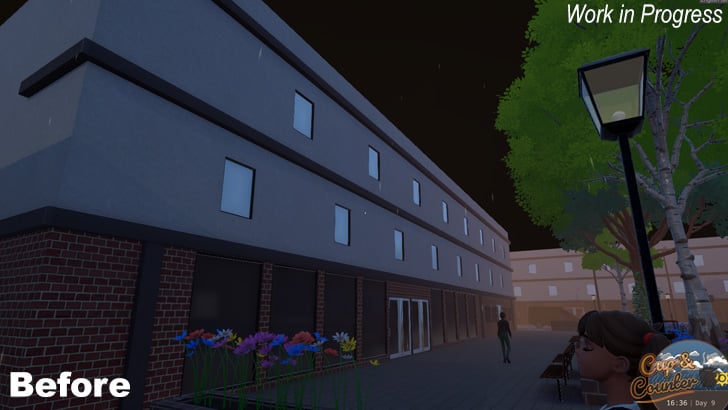
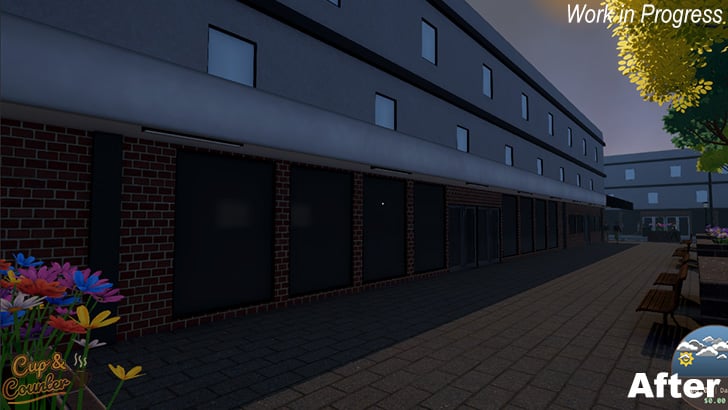
I also created awnings to help add some variety to the buildings. I currently only have one type of awning, but I have modeled a couple of others and plan on integrating them into the game soon.
As you can see, the awnings help add even more depth to the buildings and will allow for signage in a future update.
Implementing Apartments
This week, we decided to add an apartment to the game. This area will be where you decorate and relax after a hard day at the coffee shop. For now, I have started working on the lobby, stairs, and railing, as shown in our work-in-progress screenshot.
Kitchen Sink
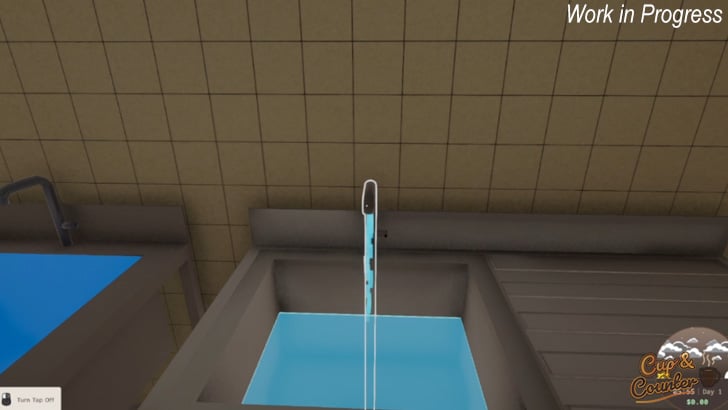
Originally, I modelled a double sink, but I didn’t see having two sinks adding any value to the overall gameplay. So, I redesigned the model to have only a single sink. I also improved the stainless steel, giving it a bit more detail.
Along with the redesign, I added some visual effects for when the tap is running. I also added sound effects for when the sink is filling and when you drain it.
Takeout Sign
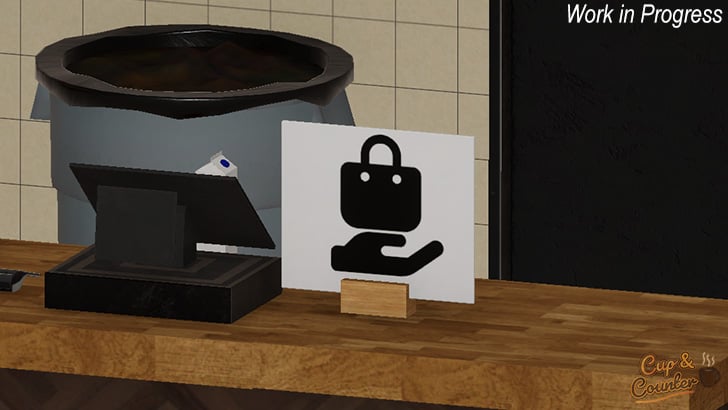
A small task I completed was to model a takeout sign indicating where customers can pick up their order. This pickup location is only for customers who ordered their coffee and food as takeout.
For now, we are not certain of the size, so we might make this sign a bit smaller.
What’s Next
Over the next week, I will model as many objects as possible so we can have a furnished, customizable apartment. Models include TVs, couches, beds, domestic kitchen equipment, dining tables, and more.
I will also be doing modeling work to help fill out the apartment lobby. Again, these models are likely to include mailboxes, a lobby desk, and various other objects to help make the lobby feel welcoming.
We also hope to have a trailer ready sometime next week showcasing the game’s highlights.
If you have liked what we have talked about throughout this blog, we would greatly appreciate it if you could wishlist our game on Steam! It supports us a ton without you needing to spend anything.