by
by Welcome to our first dev blog for our game Cup and Counter. For those who do not know, Cup and Counter is the first game from Angus and me.
In this series, we will explore some of the work we have done over the past. This ranges from new 3D models to fill out our game world to showing some of the game systems we have built.
We will talk about why we have done things a certain way and the problems we have run into over the week.
This week has had a strong focus on improving the overall feel and world of Cup and Counter. In particular, we have tried to make the whole game world feel more alive and evolving by working on systems such as the traffic and pedestrian systems.
If you have any ideas you feel would improve our game, or any feedback in general, please feel free to drop a comment below. Feedback helps us develop a better game.
Additionally, if you do like our game and want to support us, please consider wishlisting it on Steam.


Video
If you prefer, we have a quick video rundown of everything that we have worked on for Cup and Counter over the last week.
Emmet
My focus this week was to start slotting all of the game systems into the game world and fill out some of the gaps. This involved quite a bit of bug fixing and discovering parts of the world that felt very devoid of life.
Implementation of Pedestrian and Traffic System
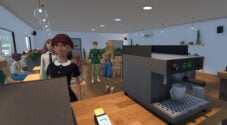
One super important part of Cup and Counter is that it has to feel like a living, breathing world. We don’t want it to just feel like your store is the only thing that exists, so my initial plan this week was to build out the pedestrian and traffic system.
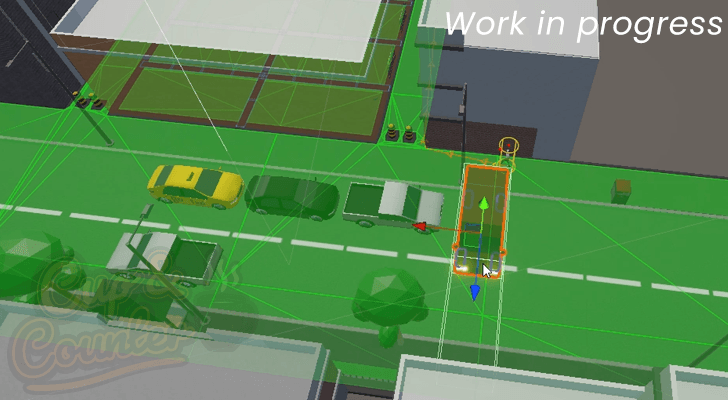
At the moment, these systems are still very basic; pedestrians will simply go from a start point to an exit point, and traffic moves from one end of the road to the other. I plan to flesh these out more and make them a bit livelier. For example, with the traffic system, we may have the taxis pull over to pick up or drop off passengers.
The pedestrians are also due for extra polish. I want them to automatically sit on benches in the area rather than just pass through the scene. All of this is to help the game feel more lived-in.
Fixing the Cup and Counter Lighting System
In the early screenshots we pushed to Cup and Counter’s Steam page, we realised one critical issue: the lighting system was not working as intended, and we had accidentally switched off post-processing.
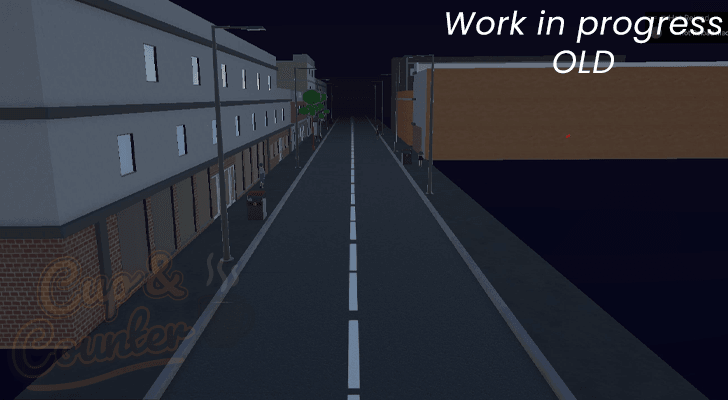
The post-processing was a simple fix; all we needed to do was switch on a tickbox, and suddenly all our emission maps were back to working as they should.
However, the lighting system and baked lightmaps were a much bigger issue and have been a pretty rough learning experience since Cup and Counter has a day-and-night sequence. The solution we used was to use Unity’s Adaptive Probe Volumes, which let us bake two lightmap versions, one at day and one at night. This system then enables us to blend between.
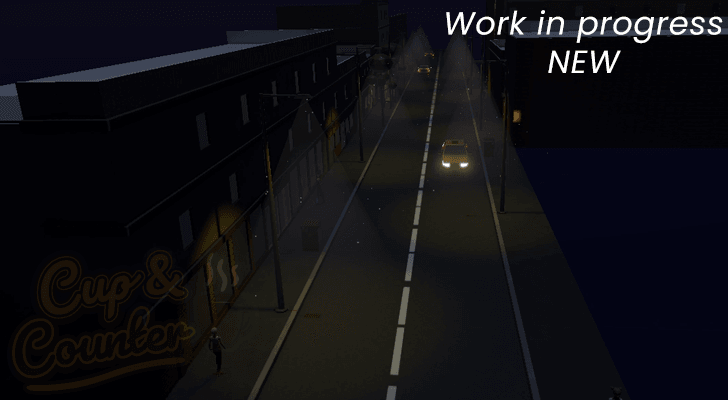
This wasn’t the simplest process, though; we ran into various issues with them not baking exactly how we needed. This involved a lot of trial and re-adjusting the node spacing to get things to feel just right. We also needed to add adjustment volumes to address light bleed.
By the end of this run, I also moved on to building a tool to make the entire light-baking process a bit simpler. Having a single button to press to get everything re-generated was a relief.
Wasting Time on NPC Optimization
One big thing I’ve learned about dealing with Unity is that what used to be a great optimization technique might not necessarily be as relevant with modern versions of the game engine. In particular, optimizing certain assets down isn’t as needed because the SRP batcher or GPU instancing does just as good a job.
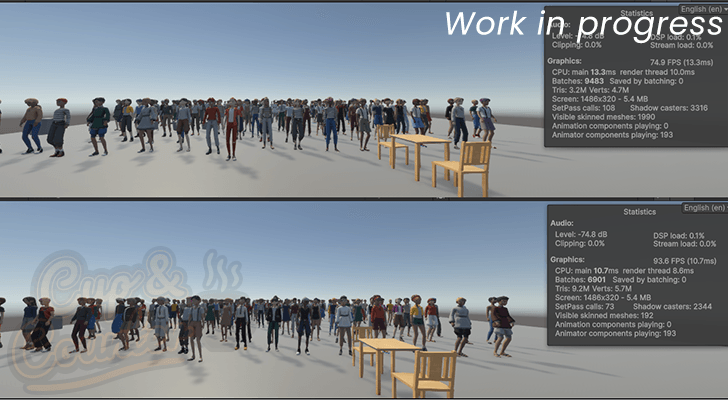
I wasted a lot of hours this week trying to optimize how we generate and render our customers and pedestrians. None of it really improved performance, but it did lead to a significantly more complicated code base and longer build times.
There was a bit of deceptiveness to it, while one looked like it was performing better, I didn’t take note that the saved frames were actually being caused by the Unity editor not doing something. Teaches me to pay attention to the profiler a bit better in the future.
Overhauling the User Interface
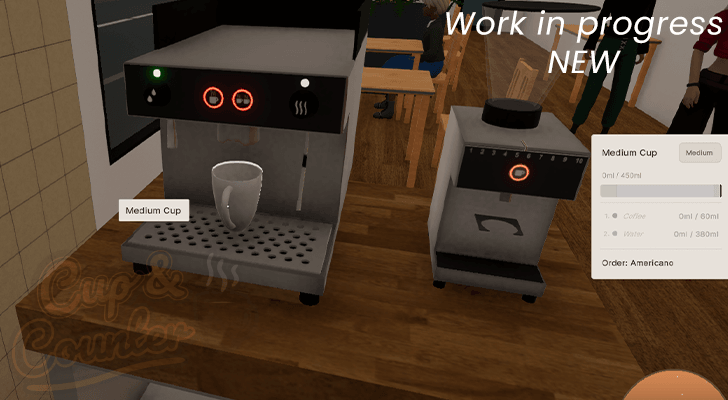
One of the biggest tasks that I undertook over the last week was rewriting and redesigning our user interface.It lacked a ton of features and simply didn’t look very nice.
From the screenshot below, you can see that the overall look was just very dull and didn’t necessarily convey all the data the player might want to know. The old version didn’t even have an easy way to show which orders you have lined up.
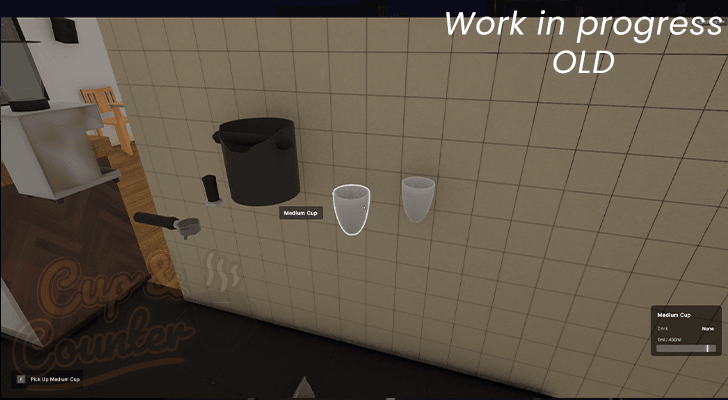
While rebuilding this took a lot of time, I’m personally very happy with how it turned out. I am definitely interested in hearing any feedback on this, as I do know it still needs some tuning.
I’m pretty happy where it stands now, but it involved a lot of work; almost every part of Cup and Counter hooks into the interface in some way, and getting the data needed to improve it for the user was a big task.
The interface will automatically show the user the correct ingredients and the order they need to use to make the current active order.
Implementing a Weather System
The final task that I completed this week was implementing a weather system into Cup and Counter.
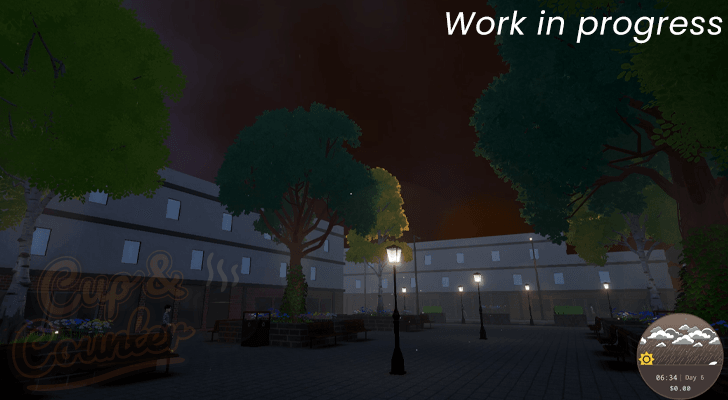
At the moment, the weather is purely an aesthetic part of the game, but my hope is to eventually flesh this out a little and make the weather affect what coffee or food a customer might want to order. Knowing that a rainy day is coming and focusing on a specific item might be an interesting concept to explore, but we aren’t quite there yet.
Overall, the weather system was actually one of the easier things to build out, largely thanks to the Unity particle system being easy to use, and a lot of the work we did for the lighting system came in handy as well.
Next Week
The big plan for next week is to continue improving some of the core Cafe systems. In particular, we want the delivery system to be done so that the boxes just don’t magically appear. My current plan is to have the delivery van pull up, an NPC hops out, and then delivers the box to an area.
After that, I need to take some time to work on the food and drink degradation system and ensure it doesn’t feel too punishing for the player, but is enough that you can’t just load up on items and never have to order things again.
Gus
This week, I have been working on a range of different implementations and improvements.
Visual Effects for the Coffee Machine and Grinder
I started adding and enhancing the visual effects for the coffee machine and grinder.
Coffee Grinder
The grinder now dispenses coffee grounds whenever you press the button.
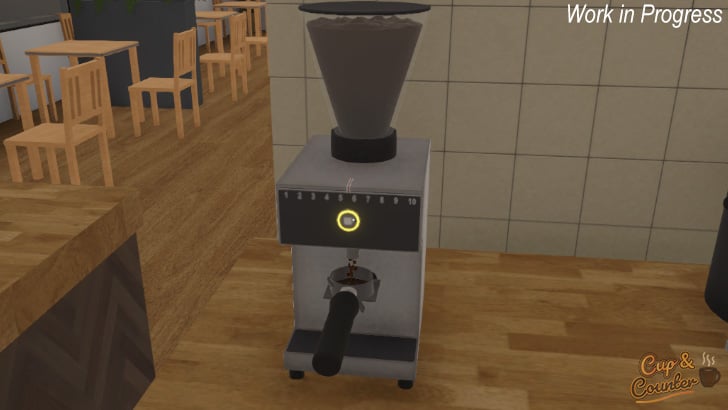
The grinder’s button now indicates the machine’s status: red shows there are not enough beans in the hopper, orange means it is operating, and green signals it is ready to grind.
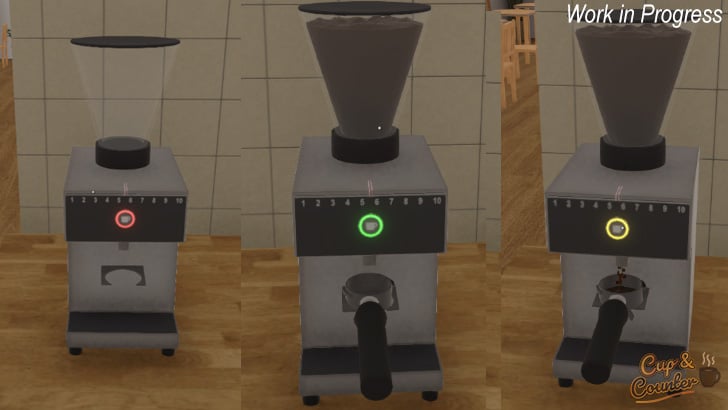
I also added audio feedback for pressing the button and for when the machine is grinding beans.
Coffee Machine
The coffee portafilter now dispenses liquid into the mug beneath it. The hot water feature works similarly. Sound effects have been added for both settings.
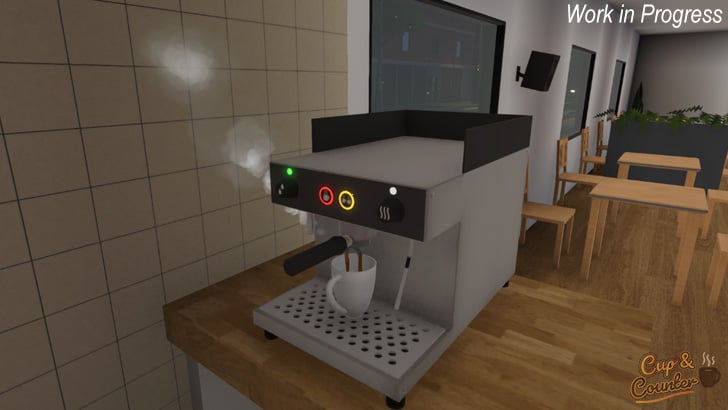
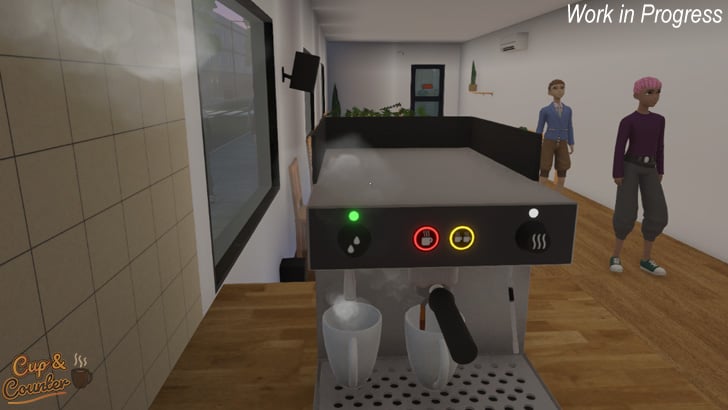
Like the coffee grinder, all buttons on the coffee machine indicate their status: orange for operation, red for issues, and green when ready.
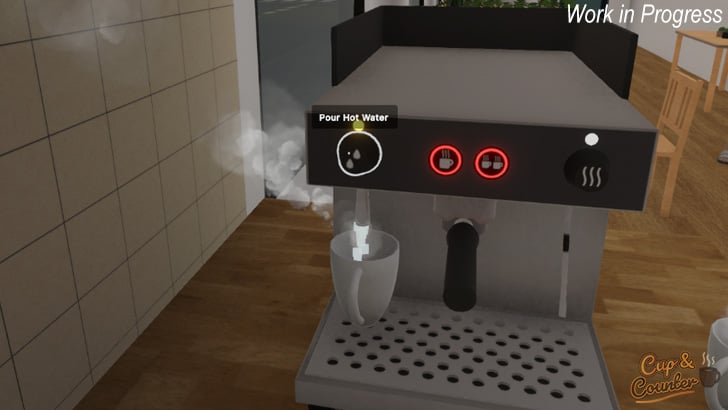
I’ve created visual effects for when the machine is operating. Steam is now produced whenever hot liquid is dispensed, and mugs emit steam while the liquid is hot, gradually fading as it cools. These effects are a work in progress and will continue to be refined.
Alleyway to Plaza Improvements
Originally, we planned for an alleyway connecting to the cafe’s front. However, we chose an inner-city plaza instead, allowing us to showcase more of the city and introduce features like weather. It also allows us extra room to expand gameplay, if we want to in the future.
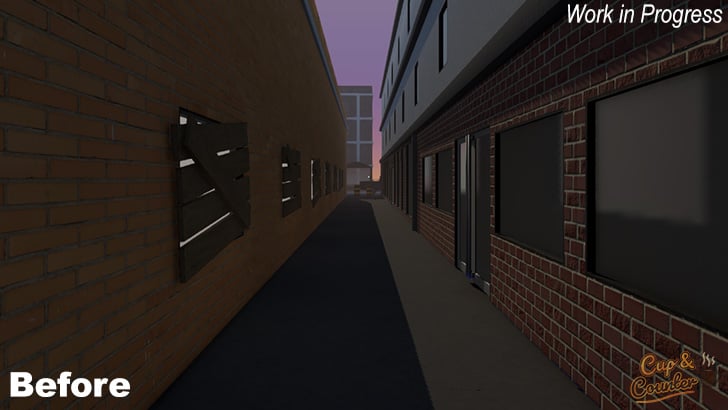
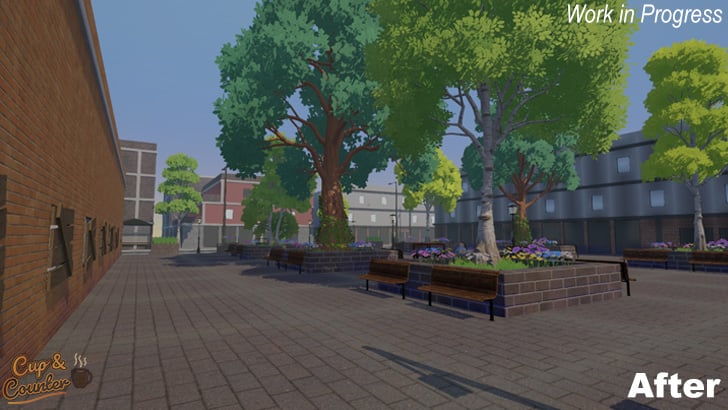
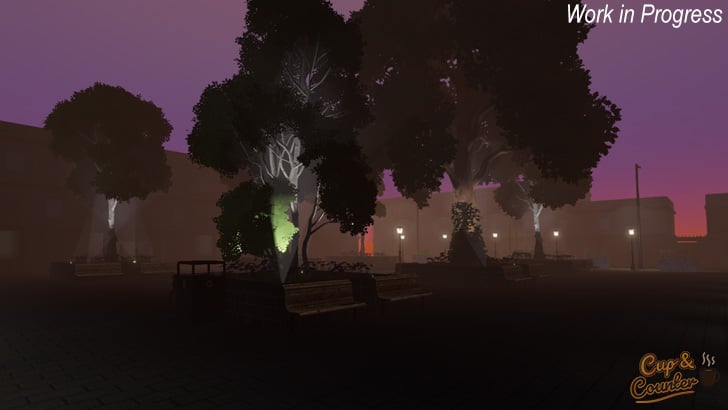
The plaza features raised beds with flowers and trees, and I have added lighting throughout to enhance the nighttime atmosphere. I have also added some seating, which will hopefully be utilized by the city’s citizens.
Improvements to the Streets
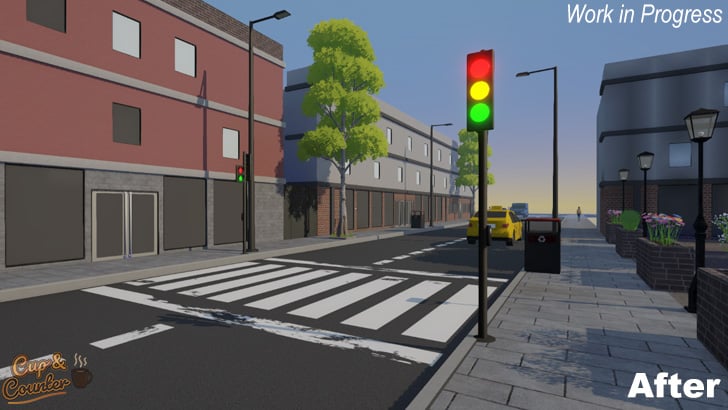
I redesigned the roads with more pronounced curbs, improved asphalt, and pavement textures. I moved road markings from baked-in UV to decals, allowing easier adjustments without redoing the entire texture.
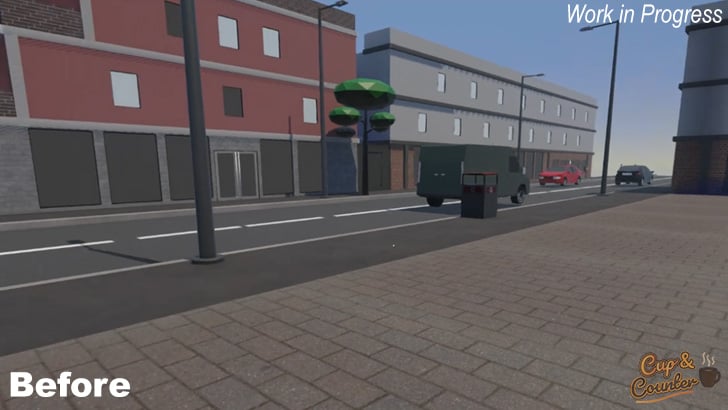
I have also made some traffic light models so we can now have our pedestrians move from one side to the other. Traffic will obey the traffic lights. The traffic lights in the screenshow below haven’t been scripted, but they will change color depending on the conditions.
Next Week
Next week, I’ll continue improving street appeal before returning to visual effects for the cafe’s various items. It will mostly involve work in Blender, Substance, and Unity itself.
Wishlist Now on Steam!
Wishlists mean a lot to a small start-up game developer like us. Cup and Counter is our very first attempt at getting into game development and becoming a viable studio, so any support means the world to us.
You can wishlist us by going directly to the Steam page for Cup and Counter.