by
by Over the last few months, we have been working on something slightly different from what you might be used to from us.
Today, we’re happy to share it with the world. It’s our first indie game, Cup and Counter, and it is now live on Steam. We’re incredibly grateful to anyone who adds our game to their wishlist and hope you enjoy it when we finally release it.
We are still a little bit off from release as we continue to polish everything and improve both gameplay and visual effects, but we wanted to share what we have been working on and begin gathering feedback on what makes a simulation game fun for others.
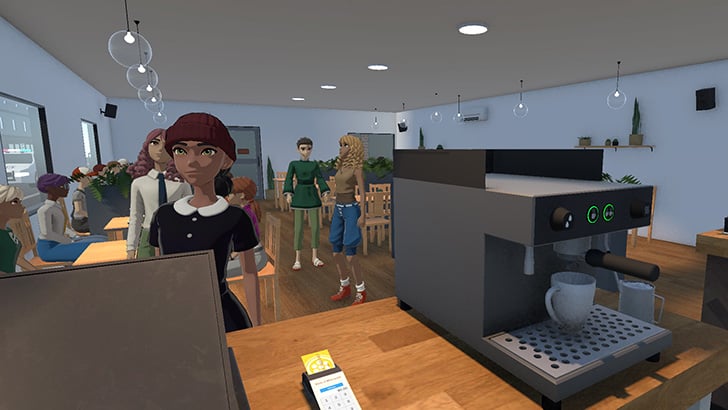
All of the game screenshots we are including on this page are early work-in-progress, with several already undergoing refinement. We are very much open to hearing everyone’s opinion as we share more about our game.


What is Cup and Counter
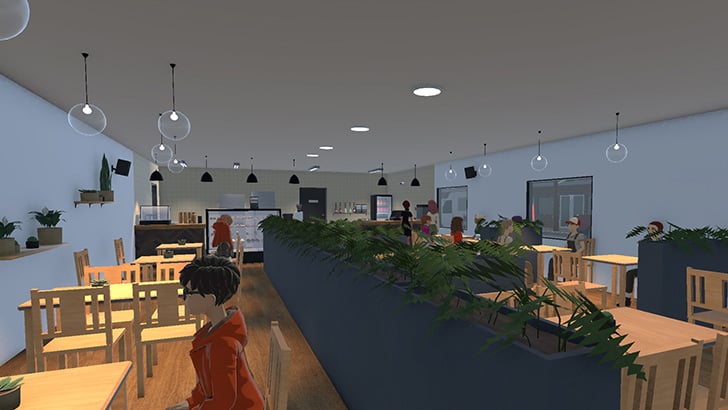
So you might be wondering exactly what Cup and Counter is? Well, Cup and Counter is a cozy business simulation game where you run and operate your very own cafe. Throughout your time in this game, you will slowly learn how to make various coffees, decorate and expand the business, and of course, keep your customers happy.
Below are the current features we are focusing on for the release.
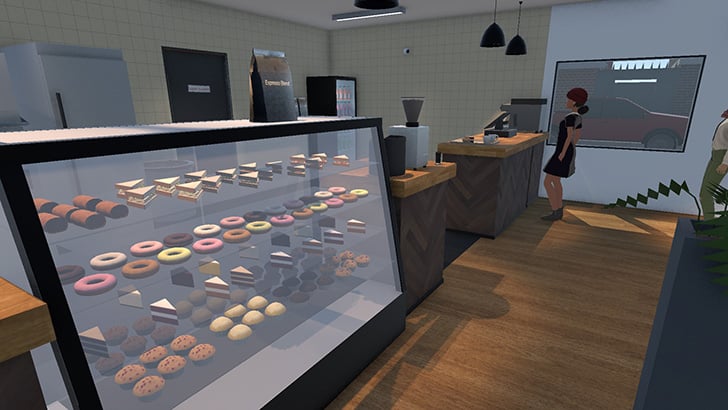
In Cup and Counter, you will need to maintain your supplies to ensure your customers always have the food and drinks they want. If you have the items they want, they are more willing to tolerate higher prices.
Same-day supply orders come with an extra price attached, which will hurt your profit margins. It pays to keep track of what you are running low on and plan for how much you should need to handle the next day.
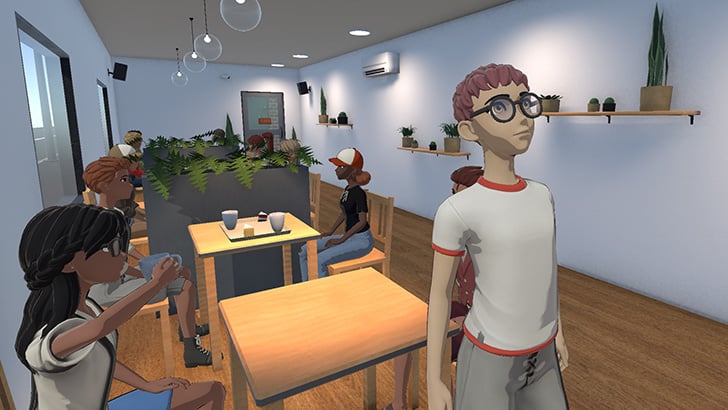
Both food and coffee beans will lose quality over time, so over-ordering will result in waste, while under-ordering may leave you with unsatisfied customers.
Keeping your customers happy will be one of the main factors in how well your cafe does. Keeping wait times short and getting orders right will improve your standing with customers, resulting in more people and more money.
You will be able to decorate your store with a variety of different items. These decorations help improve your store’s appeal to customers and encourage them to tolerate slightly longer wait times and higher prices.
The game will feature a wide variety of different coffees that you can make. Enjoy making Americanos, Cappuccinos, lattes, espressos, and many more.
Within the game, you will be able to make a variety of coffees, such as Americano, Cappuccino, Latte, and more. Every customer will have a particular drink they want to order, and you will have to try to make it to their liking.
Of course, we don’t expect you to know how to actually make each of these coffees, so our interface will show you the order in which ingredients should be added and how much of each to use.
While we aim for a cozy experience at Cup and Counter, you will still need to manage your cafe effectively to avoid running out of money. You will need to maintain a good float to ensure you always have enough money to pay the rent at the end of the week and to keep enough stock to serve your customers.
Our Development Stack
For those interested in what we are using to build our cafe simulator, you can check out our list below, along with a very brief reason for why we chose it to help make Cup and Counter.
This list is subject to change over time as we get new tools to manage various parts of our game development.
- Unity Game Engine
- Choosing a game engine is definitely not easy, as each one has a wildly different feel. We personally went with Unity because it was the first one we felt comfortable using. Its use of C# makes writing scripts a lot easier, and its interface is fairly straightforward.
Of course, one of the best things is that, since it has been around for so long, it has a huge number of tutorials and guides that help you get started and show you the best ways to achieve things.
- Choosing a game engine is definitely not easy, as each one has a wildly different feel. We personally went with Unity because it was the first one we felt comfortable using. Its use of C# makes writing scripts a lot easier, and its interface is fairly straightforward.
- Blender – For 3D Modeling
- Selecting Blender was an easy choice; it’s incredibly well-supported, has a huge community, and is a powerful modeling tool. Any alternative usually came with a huge price tag, and using it never quite felt as easy as Blender.
- Substance 3D Painter – Texturing
- Substance 3D Painter was definitely a huge help when it came to texturing any of the models we created. It makes the whole process significantly easier while also being incredibly powerful. You can quickly create some very nice-looking textures to fit what you are after. Yes, it’s not cheap, but we felt like the price was justified with how much more productive it made us.
- JetBrains Rider and Visual Studio Code – Coding
- The main program we use to edit and write the code for Cup and Counter is JetBrains Rider. This particular IDE has a bunch of features that help make writing and optimizing code much easier. It will also highlight certain paths that may hamper your game’s performance, something that can be very useful very quickly.
If we aren’t at our desktops, we do sometimes find ourselves using Visual Studio Code on the side. It’s much lighter to use, so we can easily run it on a weaker laptop.
- The main program we use to edit and write the code for Cup and Counter is JetBrains Rider. This particular IDE has a bunch of features that help make writing and optimizing code much easier. It will also highlight certain paths that may hamper your game’s performance, something that can be very useful very quickly.
- GoHugo – The Cup and Counter Website
- We didn’t want to have to stand up an entire, fully dynamic website for Cup and Counter, so instead we decided to try out the static web generator called Hugo. It makes building a static website super easy while still allowing us to use things like markup and maintain a general website theme.
Best of all, it also made hosting the website very cheap, as many service providers like Cloudflare allow static websites for little to no cost.
- We didn’t want to have to stand up an entire, fully dynamic website for Cup and Counter, so instead we decided to try out the static web generator called Hugo. It makes building a static website super easy while still allowing us to use things like markup and maintain a general website theme.
- Miro – Design Documentation
- To keep track of our games’ overall design, both visually and gameplay-wise, we use Miro. It enables us to quickly whiteboard ideas and has been a good central place to come back to when we need to.
- GitHub – Version Control
- The last tool we have listed here is perhaps just as important as the rest: a good, solid version control system. GitHub offers a very generous free plan that enabled us to quickly get started and track the changes we make to the game.
We were already very familiar with GitHub and Git in general, as we use it to track changes to Pi My Life Up’s theme as well as the various plugins and Docker containers we use to host the site.
- The last tool we have listed here is perhaps just as important as the rest: a good, solid version control system. GitHub offers a very generous free plan that enabled us to quickly get started and track the changes we make to the game.
What’s Next?
We plan to release development updates covering what we are working on, what’s working, what needs improvement, and what hasn’t worked. We felt that some might like to gain a deeper insight into how a game gets put together, as well as to share everything we have learnt along the way. We hope to try and at least do a weekly development post on Pi My Life Up to show you what’s been done over the last week.
Despite our new focus on game development, this does not mean that we are abandoning Pi My Life Up or any of its tutorials. The plan going forward has been, and always has been, to maintain the content on Pi My Life Up to ensure everything continues to work while adding new tutorials as cool and interesting things pop up. The traffic drop caused by the rise of AI in both chat clients and across search engines like Google has definitely made it a lot harder to dedicate time to the website, but the content and its readers still mean a lot to us.
On that note, if you find that there is anything you feel needs to be a good tutorial or project, always feel free to email it to us. We are always looking to expand our website to cover even more guides.
Support the Project
Again, if you would like to follow our development or you are interested in the game, be sure to wishlist Cup and Counter on Steam. As indie developers, wishlists help a lot in getting us the exposure we need to make this a success, and we are hoping to make our first game a fun experience.
We are always open to feedback and would love to hear your thoughts on what you feel a Coffee shop simulator should feature and what makes a simulation or business game feel fun to you.